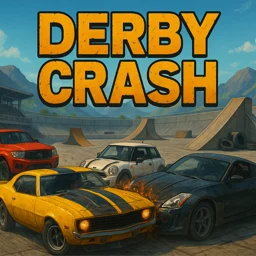
 Derby Crash
Derby Crash
If you enjoy Derby Crash
 Derby Crash 23D demolition derby: ram rivals with cars, monster trucks, or a cannon tank
 Car Crash Simulator Royale3D demolition derby where you crash cars and unlock tanks and mechs.
 City Car Driving Simulator 2Free-roam night-city driving with sports cars, a police cruiser, and traffic controls.
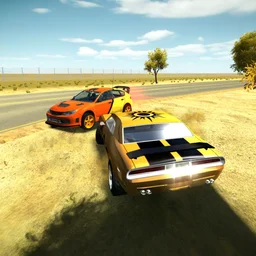 3D Car SimulatorPick a rally, police, or classic car and free-roam across 3 detailed maps.
 RealDriveOpen-world 3D driving sim with drift, traffic racing, and car tuning.
Derby Crash is a 3D demolition derby where you ram other cars to wreck them and try to be the last vehicle still moving. You drive into rivals, take hits, and keep going until everyone else has stopped.
It is free to play right in your browser, with no download and no account. There are ramps to jump and portals that warp you across the arena, so it is part wrecking match and part stunt playground.
Derby Crash game details
| Detail | Value |
|---|---|
| Genre | Driving |
| Platform | Web browser (desktop & mobile) |
| Price | Free to play |
| Rating | 4.8/5 from 3,111 votes |
What is Derby Crash?
Derby Crash is a driving and destruction game built around the real motorsport of demolition derbies. Several drivers share an arena and slam into each other, and the car that survives the longest takes the win. You pick a vehicle, line up your hits, and use the arena ramps and teleport portals to gain an angle or escape a pile-up. The physics are 3D and the damage is visible, so a car you have battered will show it.
Controls and driving
Keyboard only. Steer with one hand and keep the handbrake and unflip key close, because you will roll your car more than once.
| Action | Key |
|---|---|
| Drive and steer | WASD or arrow keys |
| Unflip the car | Enter |
| Handbrake | Space bar |
| Change camera | C |
| Slow motion | T |
Getting unstuck
Flipping onto your roof is common after a big hit. Press Enter to right the car instead of waiting it out, and tap the handbrake with Space to swing the back end around when a rival is bearing down on you.
Ramps, portals and stunts
The arena is not just a flat ring. Ramps let you launch the car for jumps and aerial hits, and portals teleport you to another part of the map, which is useful for breaking away from a group or surprising a rival from a new direction.
| Feature | What it does |
|---|---|
| Ramps | Launch the car into jumps and stunts |
| Portals | Teleport you to another spot in the arena |
| Damage model | Cars dent and crumple as they take hits |
| Camera (C) | Switch view to line up a crash |
| Slow-mo (T) | Slow time to set up or watch a big hit |
Vehicles and the arena
You can choose between several vehicles, each with its own feel and weight. Heavier cars shrug off hits but turn slower, while lighter ones are quicker to reposition. The landscapes around the derby pit give the jumps and portals room to matter, so the fight is rarely a tight circle.
Is Derby Crash free and unblocked?
Yes. The game runs in the browser, so there is nothing to install and no sign-up. That also means it works unblocked at school or work wherever browser games are allowed. Open this page, press play, and it loads on the spot.
Tips to outlast the field
- Aim for the side or rear of a rival car. A clean T-bone does far more damage than a head-on hit that wrecks you both.
- Keep moving. A parked car is an easy target, and reversing out of a corner saves you when two rivals close in.
- Use Enter the instant you flip so you are not a sitting target on your roof.
- Save the slow-mo key for setting up a big jump or a finishing hit, not for normal driving.
- Treat portals as an escape hatch when your car is nearly totalled and you need distance to recover.
Why the wrecking holds up
The fun is in the trade-off. Every crash you land also chips at your own car, so winning is about picking hits you survive rather than charging at everything. Add the ramps and portals and a round can swing fast, which keeps a simple last-car-standing idea interesting.